
We make one of the apps on this page, so read it with that in mind. Prices and features of other apps come from their Shopify App Store listings, checked on November 14, 2026. Plans change: check the listing before you decide.
On this page
Minmaxify has been setting order limits on Shopify since 2012. OrderCap, our app, launched in November 2026 and combines order limits with payment rules. Which one you want depends mostly on two things: whether you need weight or customer-tag limits, and whether you also want to hide or rename payment methods.
The short version
- Pick OrderCap if you need min, max and pack limits plus payment rules (hide COD above an amount, payment methods by country) in one app, and want to test carts in a simulator.
- Pick Minmaxify if you need limits by weight or by customer tag, or Shopify Plus checkout UI extensions.
Price
From the App Store listings, checked November 14, 2026:
| Price | Notes | |
|---|---|---|
| Minmaxify Standard | $10 a month | General per-cart limits, checkout validations, single-language messages |
| Minmaxify Premium | $20 a month | Rules and groups, multilingual messages, Buy Now button support |
| Minmaxify Plus | $50 a month | Checkout UI extensions |
| OrderCap | Free during launch | All features, every plan |
Features compared
| OrderCap | Minmaxify | |
|---|---|---|
| Min, max per product, variant, collection | Yes | Yes |
| Sold in multiples (packs) | Yes | See listing |
| Whole-cart item and value limits | Yes | Yes |
| Group limit (“all these together”) | Yes | Yes (Premium) |
| Limits by weight | No | Yes |
| Limits by customer tag | No (payment rules only) | Yes |
| Checked at checkout by a Shopify Function | Yes | Checkout validations |
| Applies to Buy it now and express checkout | Yes | Buy Now support on Premium |
| Custom and translated messages | Yes | Multilingual on Premium |
| Limits shown on the product page | Yes, with quantity stepping by pack size | See listing |
| Hide, rename, reorder payment methods | Yes | No |
| Cart simulator | Yes | No |
| Pause all rules in one click | Yes | See listing |
| Reviews on the App Store | None yet (new app) | 4.8 from 179 |
When to stay on Minmaxify
Weight limits and customer-tag limits are real needs for some stores (wholesale tiers, shipping weight caps), and OrderCap doesn’t have them. Minmaxify’s twelve years on the App Store are worth something too.
When OrderCap fits better
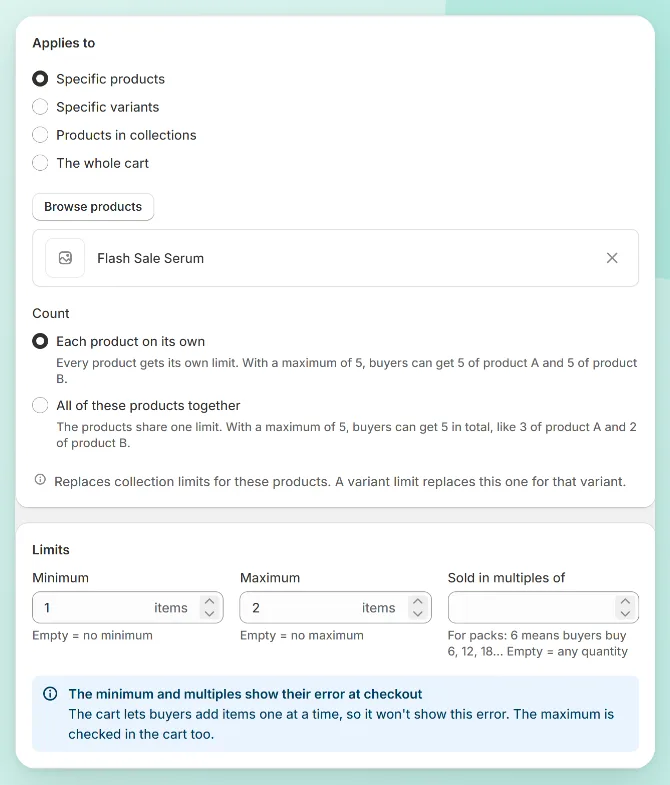
If you’re running an order limit app and a separate app to hide COD or reorder payment methods, OrderCap does both in one, with a simulator that shows the buyer’s message and the payment methods left for any cart.
Switching
Recreate your limits in OrderCap and set them Active, run your usual carts through the simulator, then disable Minmaxify and place a test order over and under each limit.

OrderCap by Centubo. Sets min, max and pack quantities or a minimum order value, and hides, renames or reorders payment methods like COD. Free during launch.
Install on ShopifyQuestions people ask
What does Minmaxify cost?
Standard $10 a month, Premium $20 and Plus $50, each with a 7-day free trial (App Store listing, November 14, 2026). Rules and groups, multilingual messages and Buy Now button support are on Premium.
Can OrderCap limit by weight or by customer tag?
Not today. OrderCap limits quantities and order value. Customer tags are available as conditions in its payment rules, not in its order limits. If you need weight or tag-based limits, Minmaxify or another app that lists them is the better fit.